
Why use the app
A complete platform that fits in your pocket
Bettors know that timing matters. An odd changes in seconds, a goal flips the market upside down and the live betting window closes too fast for you to still be looking for your computer. That is exactly why 2up developed an app that was truly designed for mobile — it is not just the website squeezed into a smaller screen.
The navigation has been redesigned for touch. Menus respond instantly, the bet slip is always a swipe away, and live events are highlighted right on the home screen. Open the app, see the day's games, pick your market, and confirm your bet in less time than it would take to boot up a laptop.
The app is available for both Android as well as iOS, and installation is straightforward — no technical knowledge required. The following sections walk you through the complete step-by-step for each operating system.
- Fast loading — interface optimized for variable 4G and Wi-Fi connections
- Push notifications — receive alerts for match start, odds changes and results
- Enhanced security — biometric login via fingerprint or Face ID
- Integrated Pix — deposits and withdrawals without leaving the app
Download
Install the 2up app on your phone
The process is quick and straightforward. Choose your operating system and follow the guide below — in a few minutes you will have the app installed and ready to bet.
Android
The 2up app for Android works on smartphones running version 6.0 (Marshmallow) or later. Installation is done via APK directly from the platform's website, without needing the Play Store.
- Android 6.0 or higher
- Minimum 100 MB of free space
- 3G, 4G, 5G, or Wi-Fi connection
- Permission to install from unknown sources
- Compatible with Samsung, Xiaomi, Motorola, and others
IOS (iPhone)
For iPhone users, the 2up app is installed directly from the App Store or via an installation link in Safari, depending on the region. Compatible with iOS 13 and later versions.
- iOS 13 or higher
- iPhone 8 or newer models
- Minimum 120 MB of free space
- Compatible with Face ID and Touch ID
- Native push notification support
Android tip: when installing the APK for the first time, the system may ask for permission to "install apps from unknown sources". Simply accept this permission in your device settings — the file is safe and comes directly from 2up.
Step by step
How to install the 2up app on Android
Installing an APK outside the Play Store is simple and safe when the file comes from a trusted source. Follow the steps below and the app will be on your phone in under three minutes.
Go to security settings
On your Android, go to Settings → Apps → Special menu (the path may vary slightly depending on your phone brand) and enable the option "Install Unknown Apps" for the browser you will use.
Go to the 2up website in your browser
Open Chrome or another browser on your phone, go to 2up, and find the app download button. Tap "Download APK" — the download starts automatically.
Open the downloaded file
When the download is complete, a notification appears in the status bar. Tap "Open" or go to the downloads folder and select the file 2up.apk.
Confirm the installation
Android displays a screen with the app details. Tap "Install" and wait a few seconds. No other special permission is required.
Open the app and log in
Done — the 2up icon appears on your home screen. Tap to open, log in with your email and password or register directly through the app. Your account balance syncs automatically.

What you find in the app
Everything 2up offers, now on mobile
The app is not a stripped-down version of the platform — it is the full 2up experience adapted for mobile, with exclusive features for those who bet from their phone.
Live Betting
Follow events in real time with odds updated on every play. The live score, match statistics, and bet slip appear on the same screen — no need to switch between tabs.
Pix in the App
Deposit and withdraw directly through the app using Pix. The QR code appears on screen, you open your banking app and confirm in seconds. No copying links, no switching to another app mid-process.
Personalized Alerts
Set up notifications for the teams, competitions, and markets you follow. Get alerts for match kick-off, goals, odds changes, and final results without having to keep checking the app.
Casino & Slots
Access the Live Casino with real dealers and play your favorite slots without leaving the app. Games are optimized for touch and load without lag even on 4G connections.
Biometric Login
Log in to your account using your device's fingerprint or facial recognition. More security, less time typing passwords — especially useful when you need to bet fast on a live market.
Full History
View all your bets, results, withdrawal requests, and deposits made directly in the app. Full transparency so you can track your progress as a bettor.
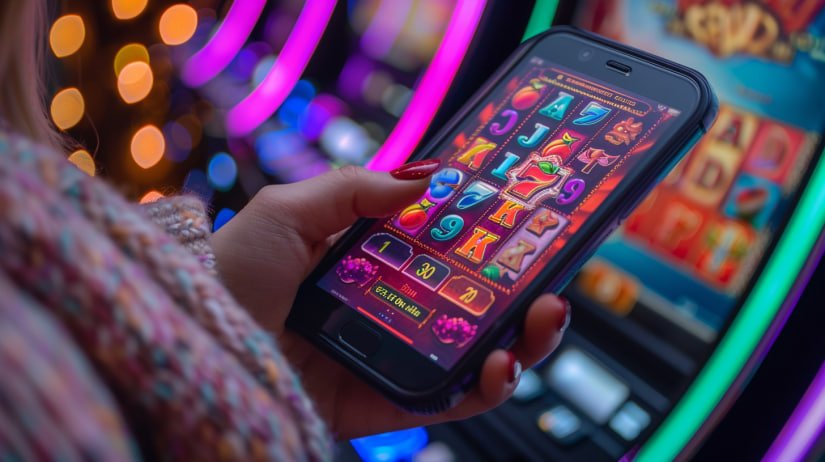
App vs Browser
Why the app beats browser access
Many people access 2up through the mobile Chrome browser and it works well — but those who try the app rarely go back. See the practical differences between the two access modes.
| Features | 2up App | Mobile Browser |
|---|---|---|
| Loading speed | Very fast | Moderate |
| Push notifications | Yes | No |
| Biometric login | Yes | No |
| Integrated Pix without leaving the screen | Yes | Partial |
| Touch-optimized interface | Fully | Fair |
| Quick access via icon | Yes | Shortcut only |
| Live Stability | High | Variable |
Usage tips
Get the most out of the 2up app
Having the app installed is a great start, but there are some habits and settings that make a real difference in the daily routine of those who bet frequently with 2up.
Set up alerts for your favorite teams. Go to preferences within the app and add the clubs and tournaments you follow closely. This way you receive a notification before each match starts and never miss a pre-game betting window.
Use Wi-Fi for live betting on important games. The live section updates odds constantly and uses more data. In high-volume matches like derbies and finals, a stable connection makes a difference to ensure the odds you saw are the same ones you confirm.
Enable biometric login immediately after installing. Saves time every time you need to log in quickly to confirm a live bet. Go to the app's security settings and enable fingerprint or Face ID.
Explore the Live Casino on nights without football. The app brings the casino with real dealers available 24 hours a day. On weeknights with a light sports schedule, the roulette and blackjack tables keep the entertainment experience alive without you needing to open another app.
Keep the app always up to date. 2up updates bring security improvements, new markets, and bug fixes. On Android, check whether a new APK version is available on the website. On iOS, updates arrive automatically via the App Store if you have that option enabled.

Payments in the app
Deposit and withdrawal directly from your phone
One of the best-executed parts of the 2up is the payment flow. Pix was natively integrated — you do not need to copy a code, open another app and come back. The QR code appears directly on screen, you use your bank's camera to scan it and confirm the payment without leaving the app.
The credit usually appears in your account within seconds, which is essential when you are about to bet on a live market with a temporary odd. Nothing is more frustrating than missing an opportunity because a deposit took too long.
For withdrawals, the process is equally straightforward. Open the wallet in the app, request a withdrawal to your registered Pix key and wait for processing. 2up works to ensure withdrawals are released quickly — no unnecessary red tape and no hidden fees eating into what you won.
Available methods in the app
- BRL account with no currency conversion
- Identity verification via CPF
- Withdrawal to registered Pix key
- No hidden deposit fees
Frequently asked questions
Questions about the 2up app
We have gathered the most common questions from those installing or getting started with the 2up app on their phone.
Get started
Download the 2up and bet wherever you are
Register in minutes, integrated Pix, live odds, and 24-hour support right in your pocket. Everything you need to bet quickly is in the 2up app.